Tutorial
Podcast Ad Campaign — Script to Analytics
Objective
Build a complete podcast advertising campaign from script generation through to promo code tracking.
What you'll learn in this tutorial
- Strategy Planning → add Podcast as target channel
- Campaign Manager → New Campaign → Podcast
- Content Generation → select Podcast Script template
- Complete campaign brief
- Generate 3 script variants
- AI Voice → generate voiceover
- Music Generator → low-energy bed music at 18%
- Mix voiceover + music bed → export at –14 LUFS
- Configure promo code tracking
- Publish and monitor LTR
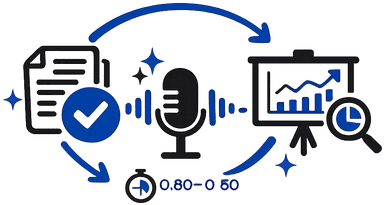
Tutorial Steps
From audio brief to finished ad
Strategy Planning → add Podcast as target channel
Campaign Manager → New Campaign → Podcast
Content Generation → select Podcast Script template
Complete campaign brief
Generate 3 script variants
AI Voice → generate voiceover
Music Generator → low-energy bed music at 18%
Mix voiceover + music bed → export at –14 LUFS
Configure promo code tracking
Publish and monitor LTR
Pro Tips
- Never open with brand name — hook first
- Host-read brief should be max one page
- Always include a unique promo code for attribution tracking
Common Mistakes
- Music bed too loud
- Scripts written like a display ad
- No LTR tracking
Ready to apply?
Try this now inside ZorgSocial
Follow the steps directly in the ZorgSocial dashboard — all the tools are ready for you.